Starting a budget can feel overwhelming, especially if you’re new to managing your money. The good news is that there are simple and effective tools designed specifically for beginners to help track expenses and stay on top of finances.
The best budgeting tools for beginners combine ease of use with essential features like automatic expense tracking and goal setting. These tools help create a clear financial picture without requiring advanced knowledge or complex setups.
Choosing the right app or software can make budgeting less stressful and more manageable. This article will explore options that are user-friendly and practical for anyone ready to take control of their money.
What are Budgeting Tools?
Budgeting tools help organize and track finances by providing frameworks for managing income, expenses, and savings. They vary in complexity but share the goal of improving financial awareness and control. Understanding what these tools do and how they differ can guide beginners toward better money management.
Definition and Purpose
Budgeting tools are software, apps, or methods designed to help individuals plan how to use their money. They create a clear overview of income sources and spending habits, making it easier to allocate funds thoughtfully.
The primary purpose is to avoid overspending and ensure enough money is set aside for bills, savings, and goals. These tools often use categories like rent, groceries, entertainment, and debt payments to simplify tracking.
By visualizing financial flows, users can identify problem areas or opportunities to save. Many budgeting tools also support goal setting, such as saving for a vacation or paying down debt, reinforcing financial discipline.
Types of Budgeting Tools
Budgeting tools come in different forms based on user needs and preferences. Some widely-used types include:
- Spreadsheets: Flexible templates, like Excel or Google Sheets, where users manually enter and categorize transactions.
- Mobile Apps: Interactive apps like Mint or YNAB provide automatic transaction syncing, alerts, and reports.
- Envelope Systems: Physical or digital cash envelopes set spending limits in predefined categories.
- Online Software: Web-based platforms offering comprehensive budget tracking with bank integration and forecasting features.
Each type offers unique benefits, from hands-on control in spreadsheets to automation in apps. Selecting the right type depends on how much time and effort users want to invest in their budgeting process.
Benefits for Beginners
Budgeting tools simplify managing money, especially for those new to personal finance. They provide a clear structure, reducing confusion about where money goes each month. Beginners gain real-time feedback and actionable insights to adjust spending habits.
These tools can reduce stress by showing a complete financial picture, preventing unexpected shortfalls. Many also encourage the habit of regular financial reviews, which is crucial for long-term success.
For beginners, budgeting tools often come with educational resources or built-in help. This support fosters confidence and learning about money management, making starting a budget less intimidating.
Key Features to Look for in Budgeting Tools
When selecting a budgeting tool, it’s important to focus on how easy it is to use, the level of automation it offers, and how well it protects your data. These elements directly affect how effectively the tool supports your financial management.
User-Friendly Interface
A user-friendly interface simplifies the budgeting process. Look for clear navigation menus and dashboards that display your income, expenses, and savings goals at a glance. Tools with customizable views help tailor the experience to your needs.
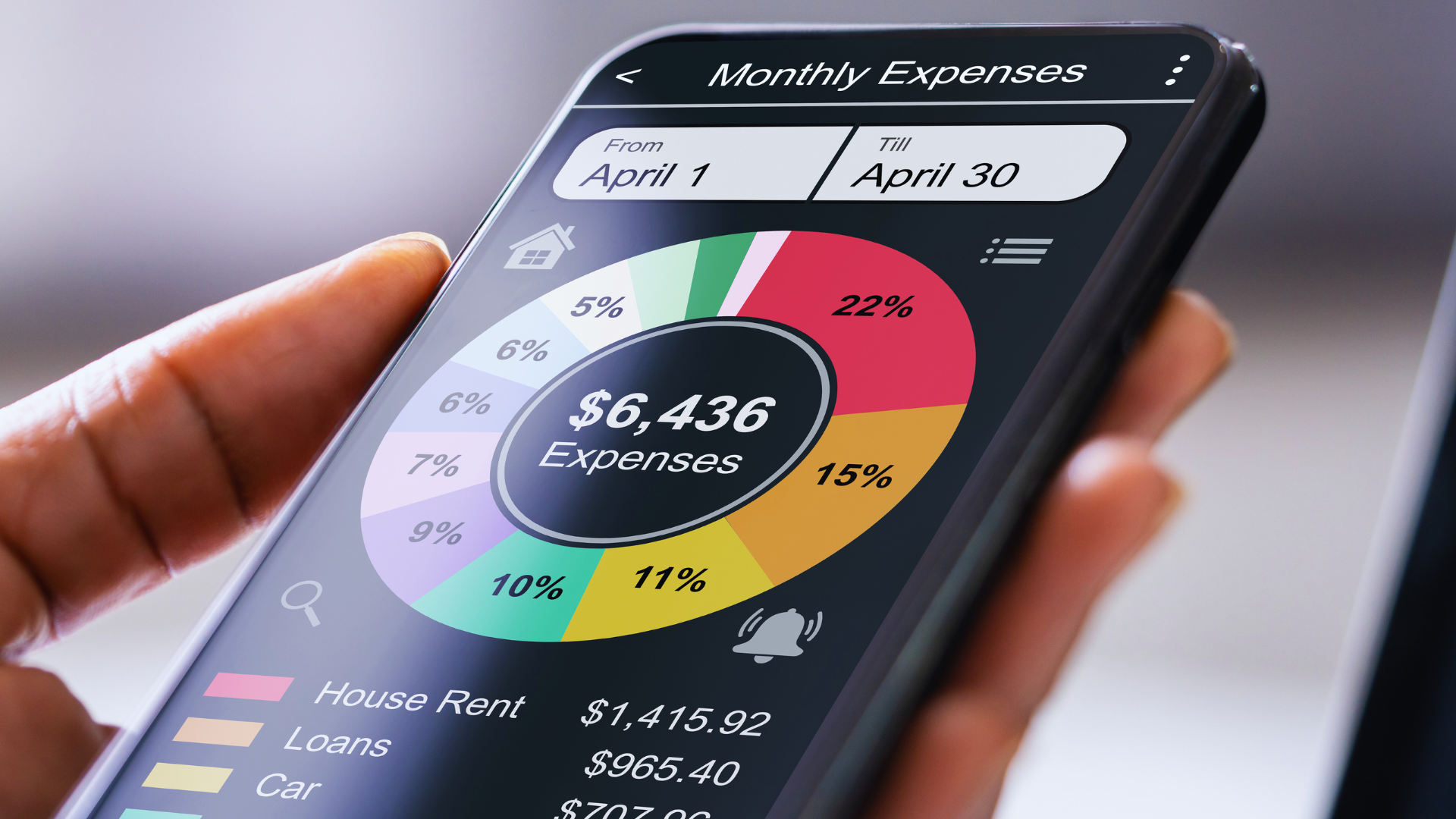
Visual aids like graphs and charts are valuable for quickly understanding spending patterns. Avoid software with cluttered layouts or complicated steps that can discourage regular use. Accessibility on both desktop and mobile devices ensures you can manage your budget anytime.
Automation and Integration
Automation reduces manual entry errors and saves time. Budgeting tools should automatically import transactions from bank accounts and credit cards. Real-time syncing keeps your data current without extra effort.
Integration with other financial apps, such as investment trackers or bill pay services, centralizes your finances. Look for tools supporting various financial institutions to avoid compatibility issues. Alerts for overspending or bill due dates help maintain discipline.
Security and Data Privacy
Security is critical when handling sensitive financial data. Choose budgeting tools that use strong encryption, like 256-bit SSL, to protect information during transmission and storage. Multi-factor authentication adds an extra layer of protection against unauthorized access.
Review the tool’s privacy policy for data usage and sharing practices. Avoid apps that sell your data or require unnecessary permissions. Regular security updates and transparency about breaches contribute to trustworthiness.
Best Budgeting Apps for Beginners
Beginners need tools that are easy to navigate, reliable, and help build good spending habits. The right budgeting app varies by platform and features, especially when considering mobile convenience or desktop functionality, as well as cost options.
Mobile Application Options
Mobile budgeting apps like Mint, YNAB (You Need A Budget), and PocketGuard are popular for their accessibility and real-time updates. Mint offers automatic transaction syncing and bill reminders, making it easy to track spending on the go. YNAB focuses on proactive budgeting, encouraging users to give every dollar a job.
These apps typically include alerts for overspending and simple interfaces designed for beginners. Mobile apps excel at quick expense logging and provide notifications, which help maintain discipline daily.
Desktop and Web-Based Apps
Desktop and web-based budgeting tools provide more space for analysis and detailed planning. Programs like EveryDollar and Personal Capital allow for in-depth budget customization and investment tracking, respectively.
Desktop apps often sync with mobile versions, offering flexibility across devices. They usually have stronger reporting features, showing trends over time, which is helpful for learning financial patterns beyond immediate spending.
Free vs. Paid Versions
Many budgeting apps have free tiers with basic features such as expense tracking and limited account linking. However, paid versions offer expanded capabilities like debt payoff plans, investment analysis, or priority customer support.
For example, Mint is free but shows ads, while YNAB requires a subscription fee but gives personalized support and detailed goal setting. Choosing free or paid depends on how much guidance and extra features are needed.
Manual Budgeting Tools for Beginners
Manual budgeting tools offer hands-on methods that allow close control over your finances without relying on automated software. They provide flexibility and simplicity, making them useful for those still learning how to track income and expenses effectively.
Spreadsheets and Templates
Spreadsheets let you customize your budget according to personal income, spending habits, and financial goals. Programs like Microsoft Excel or Google Sheets offer free templates designed specifically for budgeting beginners. These templates typically include pre-built categories such as housing, groceries, transportation, and entertainment.
You can manually enter your income and expenses, allowing for real-time adjustments and detailed tracking. Using formulas, spreadsheets calculate totals and differences automatically, helping you identify overspending. They also support visual aids like graphs or charts, which enhance understanding of your financial patterns.
Spreadsheets require basic familiarity but involve minimal cost since many tools are free or included in existing software packages.
Printable Planners
Printable budget planners are physical worksheets designed to organize income, bills, and spending on paper. They come in various formats, from monthly trackers to weekly expense logs, making it easier to write down and visualize spending habits.
These planners are ideal for individuals who prefer a tactile approach and want to avoid distractions from digital devices. They encourage consistent budgeting as writing expenses manually strengthens awareness of financial decisions.
Many printable planners include sections for goal setting and debt tracking. You can find free downloadable versions online or purchase professionally designed sets tailored to beginner needs. Using them requires only a printer and basic writing tools.
How to Choose the Right Budgeting Tool
Choosing a budgeting tool depends on your specific financial situation and how you prefer to manage your money. Factors like the complexity of your finances and connections to your bank accounts affect which tool will be most practical and effective for you.
Assessing Personal Financial Needs
Start by defining your financial goals and the level of detail you need. If you only track spending and bills, a simple app with basic income and expense categories may be enough. More complex situations, like managing investments or multiple income streams, require tools with advanced tracking and reporting features.
Consider whether you want automated features such as alerts for overspending, bill reminders, or spending analysis graphs. Ease of use should also factor in—if a tool is too complicated, you might avoid using it regularly. Evaluate if the tool supports your budgeting style, whether envelope budgeting, zero-based budgeting, or another method.
Compatibility with Financial Institutions
Check which banks and financial institutions the tool supports for direct account syncing. Most modern apps connect securely to major banks, credit cards, and investment accounts. However, some smaller or regional banks may not be compatible, requiring manual data entry.
Confirm the tool offers real-time updates if that matters to you, or at least frequent syncing options. Security protocols—such as encryption, multi-factor authentication, and compliance with financial data standards—are critical when the tool accesses your accounts online. Verify these protections before linking sensitive financial information.
Getting Started with Budgeting Tools
Starting with budgeting tools involves setting up your account accurately, importing your financial information securely, and designing a budget that fits your needs. Each step requires attention to detail to ensure your budget is both realistic and easy to maintain.
Setting Up an Account
Begin by choosing a budgeting tool that matches your preferences, whether it’s web-based or a mobile app. Enter basic personal information, including email and a secure password, and verify your identity if required.
Most tools offer two-factor authentication for added security. Use strong passwords not used elsewhere. Some platforms may prompt you to customize settings like currency, notification preferences, and financial goals during setup. Proper setup ensures smooth data synchronization and secure access to your budget over time.
Importing Financial Data
Connect your bank accounts, credit cards, and other financial services through the tool’s secure link. Budgeting tools typically use encryption to protect your login credentials and transaction data during import.
Check that all key accounts are linked to get a full picture of your finances. Some platforms allow manual input if you prefer not to connect accounts online. Review imported transactions for accuracy, categorize them correctly, and set rules for automatic categorization to save time later.
Creating Your First Budget
Focus on your income first; add all sources, including salary, freelance work, or benefits. Then list fixed expenses—rent, utilities, subscriptions—and estimate variable ones like groceries and entertainment.
Use the tool’s features to set spending limits for each category based on your financial goals. Many tools provide visual aids such as charts or progress bars to track your budget performance. Adjust categories as necessary to maintain balance and ensure you are not overspending in any area.
Common Budgeting Mistakes and How Tools Help Avoid Them
Many new budgeters face specific challenges that hinder their ability to control spending and save effectively. Addressing these problems early can improve financial management and build better money habits.
Overspending
Overspending often results from not knowing exactly where money goes each month. Without a clear view of spending patterns, it is easy to justify unnecessary purchases.
Budgeting apps help by sending real-time alerts when spending approaches predefined limits. They categorize expenses automatically, showing which types of purchases consume the most funds. This visibility encourages users to stick to their budgets.
Features that prevent overspending:
- Transaction alerts and notifications
- Spending categories and limits
- Visual charts of expenses
By using these features, beginners reduce impulse buys and make more informed decisions.
Lack of Tracking
Failing to track expenses consistently causes inaccurate budgets. Many start with good intentions but lose momentum due to manual entry or complicated processes.
Digital tools simplify tracking by syncing with bank accounts and credit cards. This automation removes guesswork and updates budgets with every purchase. Accurate tracking reveals cash flow gaps and highlights overspending areas quickly.
Tools with easy interfaces and automatic updates encourage continuous use, which is essential for maintaining control over finances.
Ignoring Savings
Some new budgeters focus solely on cutting expenses and overlook building savings. Without prioritizing savings, emergencies become stressful and financial goals harder to reach.
Budgeting tools often include savings goals features with visual progress trackers. Users can set targets for emergency funds, vacations, or debt payoff, and allocate money automatically. This structured approach helps build savings gradually and consistently.
Savings tools typically include:
- Goal setting and progress monitoring
- Automatic transfer scheduling
- Recommendations for optimal saving amounts
These functions ensure that saving is part of the budget rather than an afterthought.
Maximizing the Benefits of Budgeting Tools
Budgeting tools are most effective when used with clear financial intentions and consistent monitoring. Defining specific targets and following spending closely empowers better control over finances. Both elements work together to optimize budget outcomes.
Setting Financial Goals
Start by defining measurable objectives such as saving a certain amount each month or paying off debt within a set timeframe. Clear goals help guide how much to allocate in each budget category.
Use budgeting tools to set short-term and long-term goals. Short-term goals might include building an emergency fund, while long-term goals could be retirement savings or a large purchase. Track your progress regularly within the tool.
Adjust goals based on real spending data. If saving $300 monthly is unrealistic, modify the target instead of abandoning it. This keeps the plan actionable.
Tracking Spending Patterns
Consistently logging income and expenses reveals patterns that inform budgeting decisions. Use automatic transaction imports where possible to reduce manual errors.
Review categorized spending weekly. Notice where you overspend, such as dining out or subscriptions, and decide where to cut back. Many tools offer visual charts highlighting spending distribution.
Create alerts for unusual transactions to avoid surprises. Detailed tracking over time also helps identify seasonal expenses, allowing for better preparation and fund allocation.
When to Upgrade or Switch Budgeting Tools
Knowing when your budgeting tool no longer fits your needs can save time and frustration. It’s important to recognize specific signs of incompatibility and to understand what additional features might be necessary as your financial situation changes.
Signs a Tool Is No Longer Suitable
If your current tool lacks basic features like real-time transaction syncing or customizable categories, it may be time to reconsider. Difficulty in tracking multiple income sources or expenses also signals limitations.
Another indicator is if the tool’s interface feels outdated or unintuitive, causing frequent errors or slowdowns. Security concerns, such as outdated encryption or poor app support, are critical reasons to switch immediately.
Finally, if the tool cannot generate meaningful reports or accommodate changes in your financial goals, it restricts your ability to plan effectively.
Exploring Advanced Features
Advanced budgeting tools typically offer priority tracking, investment monitoring, and debt management features. These tools also support integrations with multiple bank accounts and offer detailed analytics.
Look for features like automated savings goals, bill reminders, and tax tracking if you want to optimize your budgeting process. Some tools provide customizable dashboards and support for financial advisors.
Access to mobile apps with biometric security and cloud syncing adds convenience and safety as your needs grow. Consider your future financial goals when evaluating which advanced features to adopt.
Conclusion
Choosing the right budgeting tool depends on individual needs and preferences. Beginners should focus on ease of use, essential features, and compatibility with their devices.
Many tools offer free versions, which is a good way to start without financial commitment. Tracking expenses, setting goals, and receiving alerts are common features that help maintain financial discipline.
Here is a quick comparison of budget tools useful for beginners:
| Tool | Key Feature | Best For | Cost |
| Mint | Automated tracking | Easy setup and overview | Free |
| YNAB | Goal-oriented budgeting | Focused saving | Paid |
| EveryDollar | Simple interface | Manual tracking and planning | Free/Paid |
Using budgeting tools consistently encourages better money management habits. Regular review and adjustments to budgets lead to clearer financial awareness.
Selecting a tool that balances automation and control helps maintain motivation. Beginners benefit most from starting simple and evolving their process as needed.